
Links and Anchor Tags
Add or modify links across various elements/widgets. You can link to internal resources like pages or anchor points, external URLs, documents, or create click-to-action links.
Text Widget - For text widgets, if text is able to be linked, click on the icon that looks like a link

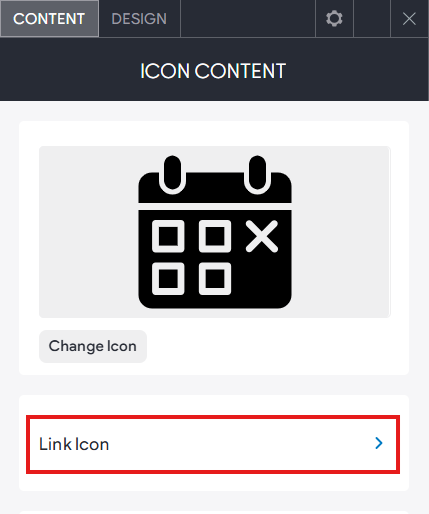
Other Widgets - For most widgets, the link option can be found in the content tab or management area.
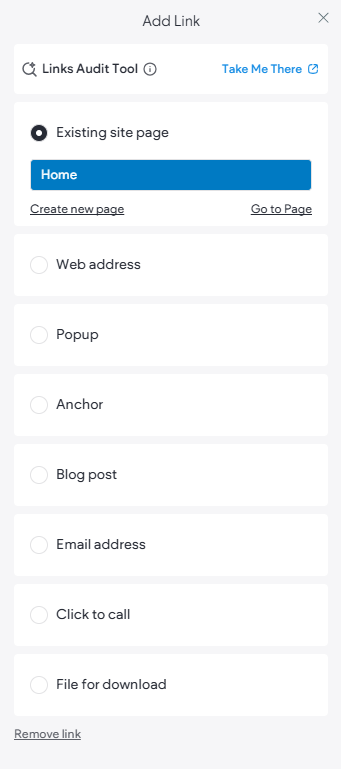
Add Link Menu
- Existing site page. Link to an existing page in your Page list.
- Web Address. Link to an external website with the option to open in a new window.
- Popup. Link to trigger a popup window.
- Anchor. Set up a link to anchor to a specific section on a page.
- Blog Post. Link directly to a specific blog post from the Blog module.
- Email address. Link to a new or saved email address saved in the Business Data.
- Click to call. Link to trigger a call on a device using a phone number saved in the Business Data.
- File for download. Link to a document or other media from the Media Manager.
Anchor Links
Anchor links let you send visitors to a specific section of the page, making it easier for them to navigate a longer page or to reach a section you want to reference. Anchor links are very useful for letting users skip past content that may not apply to them, keeping them focused on what is important to them.
NOTE: Anchors cannot be added to content in the Footer or blog posts.
Add Anchors
To add an anchor on your page:
- You can add an anchor by:
- Right-clicking on a widget
- Right-clicking on a ROW
- Set As Anchor.
- Type an
Anchor Name.
Note: The option Add to Site Navigation will be selected by default. This will add the anchor to the website's main navigation. Untick this option if you do not want the anchor added to the navigation as an item. - Click Add.
Link to an Anchor
To add a link to an existing anchor:
- When creating a text or button link, select the Anchor option.
- Select the page the anchor is on, and select the anchor from the drop-down.
Delete an Anchor
To delete an existing anchor:
- Right-click widget or row with the anchor, and click Edit Anchor.
- Click Delete anchor.