
Progressive Web App (PWA)
A Progressive Web App (PWA) is a type of web-based application designed to provide a mobile experience similar to a native app, offering users a fast, fluid, and engaging way to interact with a website.
PWAs are built to open quickly, react smoothly to user input, and behave like installed applications. They don’t require distribution through an app store, and users can easily return to them—even without an internet connection in some cases.
NOTE:
- PWAs are supported on Chrome for Android. If PWA is enabled, the browser automatically asks the user if they want to add the site to the home screen.
- You can also add PWA on IOS devices running version 11.3. However, since the "add to screen" automatic message by the browser is not yet available, users will have to add PWA manually. For more information on how to do this, visit Apple Support.
To activate PWA feature:
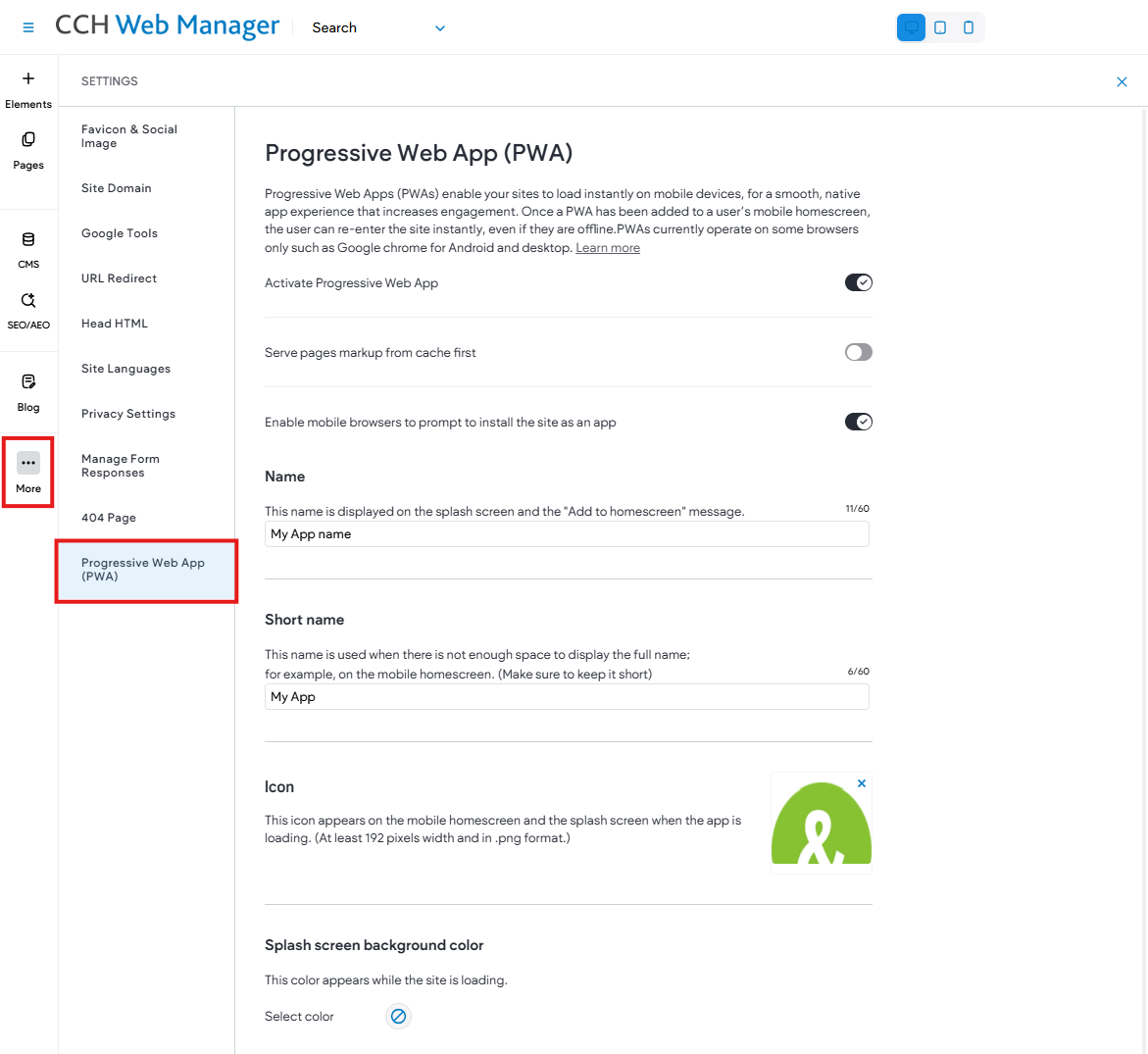
- In the side panel, click More, then click Settings.
- Click Progressive Web App.
- Click the Activate Progressive Web App toggle.
When a user accesses a site enabled with PWA from their mobile device, they will see an Add to Home screen button displayed below the site. Once added to the home screen, the icon will be displayed on their device for quick access to the site (similar to an app).
The user can now re-enter the site using this icon, even if the device is offline.