
Adding HTML to Head/Body End
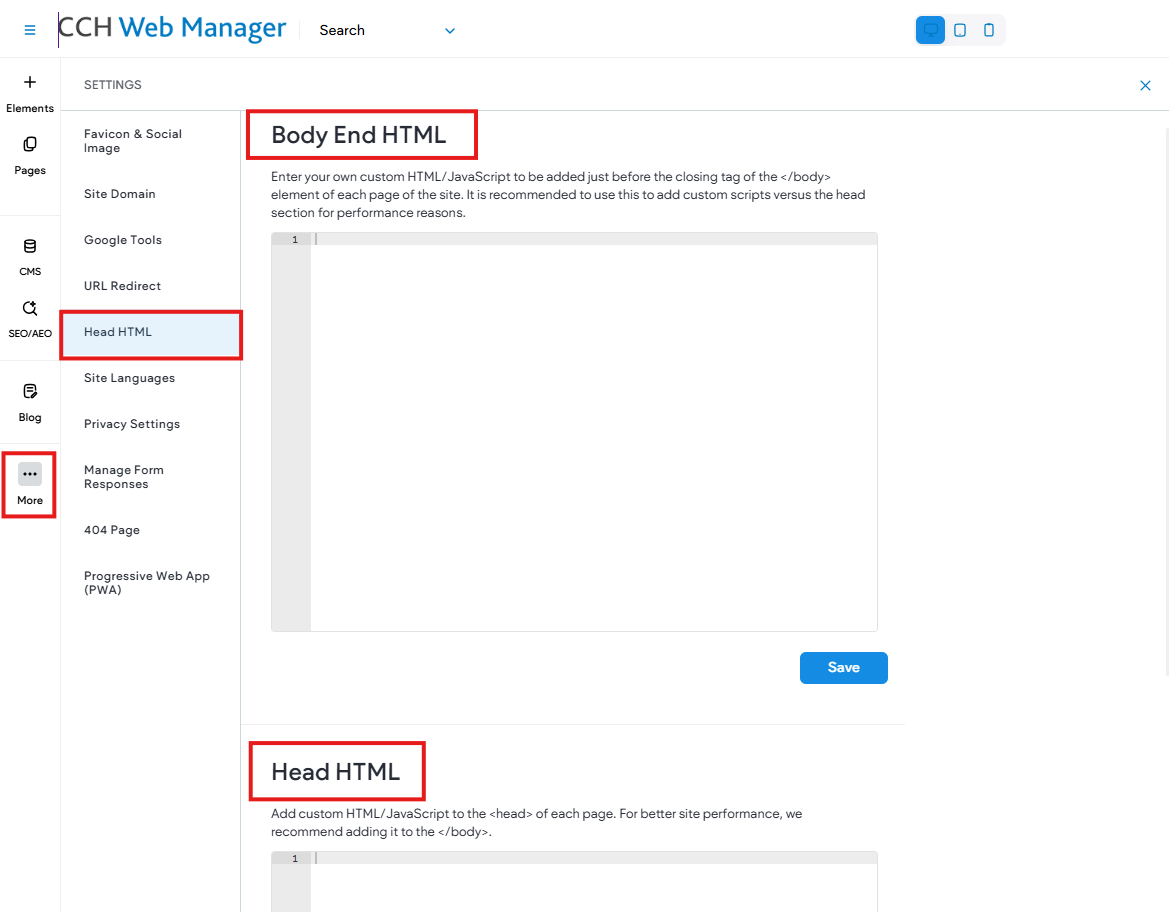
To place the code in the site-wide header, in the left side panel, click More, then click Settings > Head HTML.
- Body End HTML. Enter your own custom HTML/JavaScript to be added just before the closing tag of the </body> element of each page of the site.
- Head HTML. Add custom HTML/JavaScript to the <head> of each page. For better site performance, we recommend adding it to the </body>.
Paste your code, then save.
NOTE: Is your code disappearing? It is common for pixel tracking codes to disappear when placed in the header. The head section <head> does not accept any code that is <img>, <iframe>, and more. It normally only takes <link>, <script>, and <meta>.
Please email webmanager@wolterskluwer.com if you need assistance adding code to your website.